
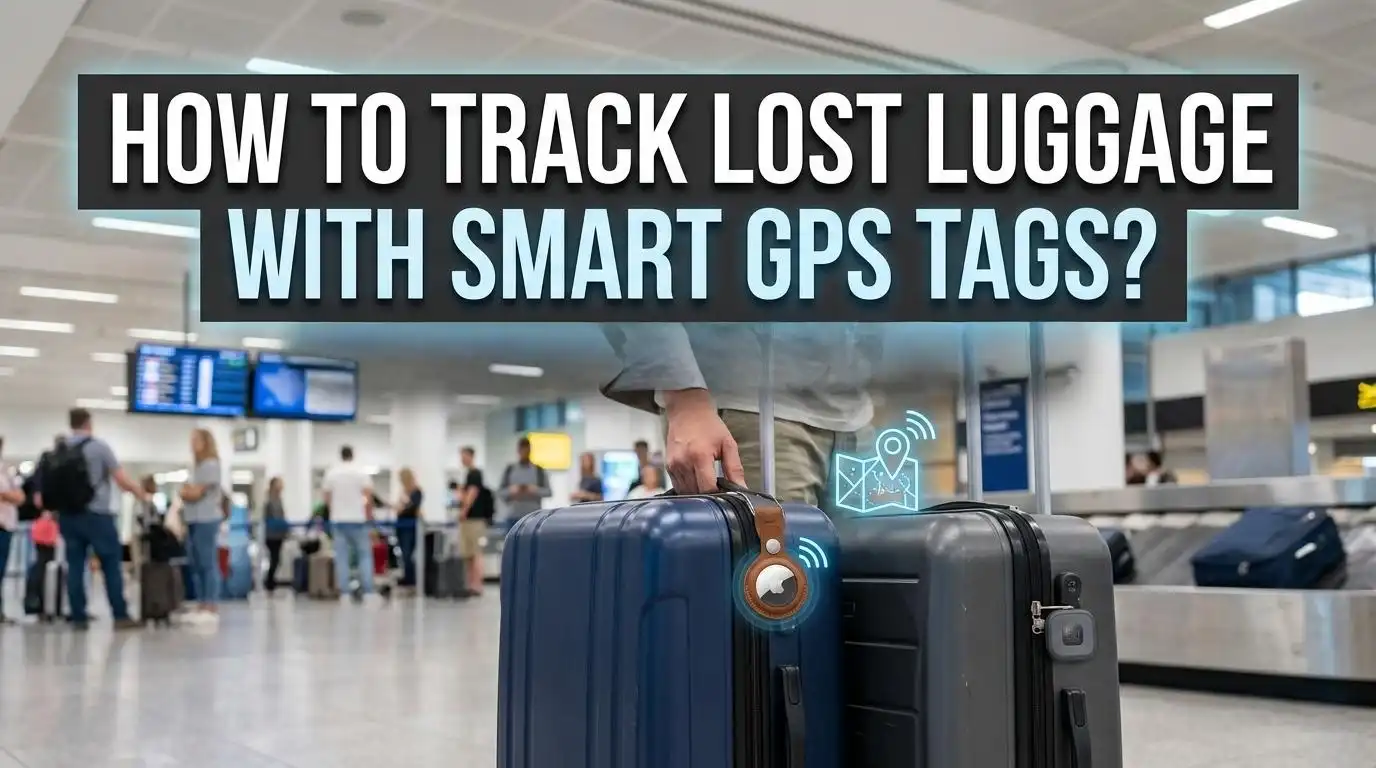
How to Track Lost Luggage with Smart GPS Tags?
If you have ever stood at a baggage carousel watching every suitcase pass by except yours, you know the sinking feeling. The good news? Smart GPS tags have changed the way travelers protect their belongings.
These small, affordable devices can pinpoint your bag’s location in real time, giving you the power to act fast and recover what is yours.
This guide walks you through every step of using smart GPS tags to track lost luggage, from choosing the right device to filing a claim with your airline.
In a Nutshell
- Smart GPS tags use satellite signals and cellular networks to show you the real time location of your bag on a map. Bluetooth trackers work differently and rely on nearby devices to update location. Understanding this difference helps you pick the right tool.
- Setup takes less than five minutes for most devices. You pair the tag with your phone, drop it in your suitcase, and open the companion app to start tracking. No technical skills are required.
- Over 30 airlines now support Apple’s AirTag tracking feature, including Lufthansa, SWISS, Austrian Airlines, Brussels Airlines, and others. You can share your tag’s location directly with airline staff to speed up recovery.
- Around 85% of lost luggage is found and returned within 36 hours. Having a GPS tag in your bag can cut that wait time by giving the airline precise coordinates instead of relying only on their internal systems.
- GPS trackers cost between $20 and $50 on average, with some requiring a small monthly subscription for cellular service. Bluetooth tags are often cheaper but have limited range.
- Always combine a smart tag with a physical luggage tag that includes your name, phone number, and destination. This two layer approach gives you the best chance of recovering a missing bag quickly.
Why Luggage Gets Lost at Airports
Understanding why bags go missing can help you prevent it. The most common reason is tight transfer times during layovers. Your connecting flight may leave before your bag makes it from one plane to the next. Air traffic delays often compress these windows further.
Mislabeled baggage tags cause another large share of problems. If the printed destination code is wrong, your bag travels to the wrong city entirely. A simple human typo can send your suitcase to Austria instead of Australia.
Airline system errors also play a role. Glitchy software can misroute bags through the wrong conveyor belts. Passengers sometimes grab the wrong bag from the carousel too, especially when many suitcases look similar. A quick photo of your bag before check in can help distinguish yours from the crowd.
Airlines have improved their baggage handling over the past decade. Mishandling dropped nearly 60% from 2007 to 2022 according to IATA. However, the post pandemic travel surge in 2022 and 2023 caused a temporary spike. This is why personal tracking devices have become such a popular safety net for travelers.
How Smart GPS Tags Work
A smart GPS tag is a small device that uses Global Positioning System satellites to determine its exact location. It then sends that data through a cellular network (like 4G LTE) to a cloud server. You open the companion app on your phone and see your bag’s position on a map.
Some tags update every few seconds, while others update every few minutes. The refresh rate depends on the device model and your subscription plan. Real time GPS trackers like the LandAirSea 54 and SpaceHawk can update as often as every 3 to 10 seconds.
The key advantage of GPS is that it works independently of nearby phones or devices. As long as the tag has cellular coverage, it can report its location from anywhere on the planet. This makes GPS tags ideal for international travel where your bag might end up in a distant city.
Most GPS tags are small enough to fit inside an internal suitcase pocket. They run on rechargeable or replaceable batteries that last anywhere from a few weeks to several months depending on the update frequency. The more often the tag pings its location, the faster the battery drains.
GPS Tags vs. Bluetooth Trackers: Key Differences
Many travelers confuse GPS tags with Bluetooth trackers. They serve a similar purpose but work very differently. GPS tags communicate directly with satellites and cell towers. Bluetooth trackers like Apple AirTag, Samsung SmartTag, and Tile rely on a network of nearby smartphones to relay their position.
Bluetooth trackers have a direct range of about 10 to 30 meters. Beyond that range, they depend on crowdsourcing. If another smartphone with the right app passes near your tracker, it updates the location. Apple’s Find My network has over a billion devices worldwide, which makes AirTags surprisingly effective in populated areas.
Pros of GPS Tags: They provide true real time tracking. They work in remote locations without nearby devices. They offer features like geofencing, SOS alerts, and motion detection. Cons of GPS Tags: They cost more upfront. Many require monthly subscriptions for cellular service. Battery life is shorter than Bluetooth trackers.
Pros of Bluetooth Trackers: They are cheaper and often have no recurring fees. Battery life can last up to a year or more. They are very compact and lightweight. Cons of Bluetooth Trackers: They depend on nearby devices for updates. Location accuracy drops in remote areas. Refresh times can lag by 5 to 20 minutes.
For frequent international travelers, a GPS tag is the stronger choice. For budget conscious domestic travelers, a Bluetooth tracker may be enough.
How to Set Up a Smart GPS Tag for Your Luggage
Setting up a GPS tag takes only a few minutes. Start by charging the device fully or inserting a fresh battery. Most tags use a CR2032 coin cell or a built in rechargeable battery.
Next, download the companion app for your device. Apple AirTags use the Find My app. Samsung SmartTags use the SmartThings app. Tile trackers use the Tile app by Life360. Dedicated GPS trackers like Tracki or LandAirSea use their own branded apps. Open the app, create an account if needed, and follow the on screen pairing instructions.
Once paired, test the tag at home before your trip. Walk around your house and check the map to confirm the tag’s position updates correctly. Test the audible ring feature so you know how loud it is and how to trigger it from the app.
Finally, place the tag inside a secure pocket of your suitcase. Choose an internal zippered pocket where the tag will not shift during handling. Avoid placing it in an external pocket where it might fall out. Some travelers also drop a tag in their carry on as backup.
Best Practices for Placing GPS Tags in Checked Bags
Where you place your tag inside the suitcase matters more than you might think. The best spot is an interior zippered compartment close to the center of the bag. This protects the tag from physical damage during rough handling.
Avoid placing the tag near metal zippers or dense electronic items. Metal can interfere with Bluetooth and GPS signals. Placing the tag near the top of your bag also makes it easier to access if airport security needs to inspect your luggage.
Some travelers wrap the tag in a small cloth pouch for extra protection. This prevents scratches on the tag and keeps it from rattling. Make sure the tag is turned on before you hand over your bag at check in. It sounds obvious, but many people forget this step and only realize it after their bag is already gone.
If you use a Bluetooth tracker that connects to Apple’s Find My network, remember to disable the “left behind” alert for that item before your flight. Otherwise, you will receive a notification every time your plane takes off because the tag is technically moving away from your phone in the cabin.
Airlines That Support AirTag Luggage Tracking
As of early 2025, more than 30 airlines support Apple’s Share Item Location feature. This lets you generate a link that shares your AirTag’s real time location with airline staff. The Lufthansa Group was among the first to adopt this, covering Lufthansa, SWISS, Austrian Airlines, Brussels Airlines, and Eurowings.
Other major carriers have followed. Apple’s integration makes it easy for baggage teams to see exactly where your bag is, even if their own systems cannot locate it. This has already improved recovery times for passengers who can share a precise pin on a map instead of just describing a black suitcase.
The TSA confirms that AirTags are allowed in both checked and carry on luggage. The small lithium battery inside the AirTag falls well below the TSA’s restrictions for lithium cells. No airline has banned personal luggage trackers, though a few carriers briefly questioned their use in 2022 before regulators confirmed they were safe.
If your airline is not yet on the AirTag integration list, you can still show a customer service agent the map location from your app. Most staff will use this information informally to speed up the search, even without an official partnership in place.
Step by Step: What to Do When Your Bag Goes Missing
Your flight has landed, the carousel has stopped, and your bag is not there. Here is exactly what to do.
Step 1: Check your tracker app immediately. Open the app and look at the last known location of your bag. It may still be at the departure airport, at a transfer hub, or even on a different carousel in the same airport.
Step 2: Go to the airline’s baggage claim desk before leaving the airport. Report the missing bag and provide your baggage claim receipt number. This is the sticker the check in agent attached to your boarding pass. Give the agent a description of your bag, including color, brand, size, and any unique features.
Step 3: Share your tracker data with the airline. If you use an AirTag, generate a Share Item Location link and send it to the agent. For other trackers, show the agent the map on your phone. This gives them a precise starting point for the search.
Step 4: File a formal lost luggage report. Most airlines provide a reference number and a web portal where you can check the status of your claim. Save all confirmation emails and documents.
Step 5: Keep all receipts for emergency purchases like clothing and toiletries. Airlines often reimburse reasonable expenses while your bag is missing. Your travel insurance may also cover these costs.
How to Use Tracker Data to Speed Up Recovery
Your GPS or Bluetooth tag gives you something most travelers do not have: proof of your bag’s location. This can dramatically speed up the recovery process.
If your tracker shows the bag at a specific airport, call that airport’s lost luggage office directly. Provide the exact coordinates or the map screenshot. Many travelers have recovered their bags within hours by doing this instead of waiting for the airline’s internal system to catch up.
Social media is full of stories where passengers used their tracker to prove their bag was sitting in a storage room at the airport, even while the airline insisted it was “still being traced.” Having concrete location data shifts the conversation in your favor. You move from asking for help to providing the solution.
Set up push notifications on your tracker app so you receive alerts any time the bag moves. Some GPS devices offer geofence alerts that notify you when the bag enters or leaves a defined area. This is useful if your bag is supposed to be delivered to your hotel.
If the bag appears to be at a private address or an unfamiliar location, do not attempt to recover it yourself. Report the coordinates to the airline and local authorities. They have the proper resources to investigate and retrieve your property safely.
Understanding Airline Compensation for Lost Bags
If your bag is not returned within a reasonable time, you have the right to file a compensation claim. Under the Montreal Convention, airlines are liable for up to approximately $1,800 USD for lost, damaged, or delayed checked baggage on international flights. Domestic policies vary by airline and country.
Most airlines consider a bag officially “lost” after 21 days. Before that point, it is classified as delayed. During the delay period, you can claim reimbursement for essential items you had to buy. Keep every receipt and submit copies with your claim.
Pros of filing through the airline: The process is free, and airlines often settle quickly for clear cut cases. Cons: Payout amounts may not cover the full value of your belongings, and the process can take weeks.
Pros of filing through travel insurance: Policies often cover higher amounts and include additional expenses like trip disruption costs. Cons: You must provide detailed documentation, and deductibles may apply.
Having GPS tracker data as evidence strengthens your claim. It shows when and where the bag was last detected, which can counter any argument from the airline that the delay was beyond their control.
Common Mistakes to Avoid with Luggage Trackers
Even the best tracker cannot help if you make preventable errors. The most common mistake is forgetting to charge the device before a trip. A dead tracker is no better than no tracker at all. Set a reminder to charge or replace the battery the night before you fly.
Another frequent error is using an incompatible tracker. Apple AirTags only work with iPhones. Samsung SmartTags only work with Samsung Galaxy phones. If you borrow a tracker from a friend with a different phone ecosystem, it will not pair with your device. Always check compatibility before you travel.
Some travelers place the tag in an easily accessible outer pocket. This makes it vulnerable to falling out during handling or being removed. Keep the tag hidden in an internal compartment where it is secure and out of sight.
Do not rely on a single tracker. If you are traveling with multiple bags, put a separate tag in each one. Some travelers even place two tags in a single high value bag for redundancy. If one tag fails or loses signal, the backup keeps you covered.
Finally, do not ignore software updates. Tracker apps and firmware updates often include bug fixes and improved location accuracy. Update your app and tag before each trip to make sure everything works at peak performance.
Tips for International Travelers Using GPS Tags
International trips add extra layers of complexity. Your GPS tag must support cellular networks in your destination country. Most modern GPS trackers use multi band 4G LTE that works across regions, but confirm this before you buy. Some older models only support networks in specific countries.
Bluetooth trackers depend on the size of the local device network. Apple’s Find My network is very large in North America and Europe, but coverage is thinner in parts of Africa, South America, and rural Asia. If you are traveling to a remote destination, a GPS tag with satellite connectivity is the safer bet.
Turn off roaming restrictions on your phone so the tracker app can receive location updates abroad. Some apps need an active data connection to refresh the map. Consider purchasing an international data plan or a local SIM card for uninterrupted tracking.
Label your bag with contact information that works internationally. Include your country code with your phone number and an email address. If your bag is found by local airport staff who do not use your tracker network, a clearly written luggage tag becomes your best backup.
Travelers crossing multiple time zones should also confirm that their tracker app adjusts time stamps correctly. This prevents confusion about when and where the bag was last detected.
Future of Luggage Tracking Technology
The technology behind luggage trackers is advancing quickly. Airlines are starting to integrate personal tracker data directly into their baggage management systems. The Lufthansa Group’s adoption of Apple AirTag location sharing is a clear signal that the industry sees value in working with passenger owned devices.
SITA reports that 66% of mishandled bags were resolved within 48 hours using their WorldTracer system in 2024. Combining airline systems with personal GPS data could push that rate even higher. RFID (Radio Frequency Identification) tags embedded in airline baggage labels are also becoming standard. IATA’s Resolution 753 requires airlines to track bags at four key points: check in, loading, transfer, and arrival.
Looking ahead, ultra wideband (UWB) technology promises centimeter level accuracy for item tracking. Apple’s AirTag already uses UWB for Precision Finding at close range, and future devices will expand this capability. Some manufacturers are also experimenting with solar powered tags that never need charging.
The combination of personal trackers, airline RFID systems, and cloud based data sharing is creating a future where lost luggage becomes rare rather than routine.
How to Choose the Right Smart Tag for Your Needs
Choosing the right tag depends on your travel habits, phone type, and budget. Start by asking yourself three questions. How often do you fly internationally? If frequently, a GPS tracker with global cellular coverage is the best option. What phone do you use? AirTags require an iPhone, SmartTags need a Samsung, and Tile works with both iOS and Android. What is your budget? Bluetooth tags cost less upfront while GPS tags cost more but offer greater range.
For Apple users, the AirTag is the most popular choice. It integrates smoothly with Find My, has a large device network, and costs around $29. Battery life is about one year. The newer AirTag 2 model adds improved ultra wideband tracking and a built in speaker.
For Samsung users, the SmartTag2 offers solid performance. It pairs automatically, logs location history, and has a battery life of up to 500 days. The refresh rate is roughly every 20 minutes, which is acceptable for luggage tracking.
For cross platform users, Tile Pro works with both iPhone and Android. It features an audible ring, SOS alerts, and a one year battery. The Tile app is user friendly and allows you to assign custom icons to each tracked item.
For maximum coverage, consider a dedicated GPS tracker. These devices work independently of phone ecosystems and provide global coverage. They typically require a monthly subscription but deliver the most reliable tracking across all locations. Pick the device that matches your ecosystem, travel frequency, and comfort level with recurring costs.
How to Protect Your Privacy While Using Trackers
Smart tags raise legitimate privacy questions. Your tracker sends location data to a cloud server, which means a company has access to your travel history. Read the privacy policy of your tracker’s app to understand how your data is stored, shared, and deleted.
Use strong, unique passwords for your tracker app accounts. Enable two factor authentication if the app supports it. This prevents unauthorized access to your location history.
Apple, Samsung, and Tile have all implemented anti stalking safeguards. If someone secretly places a tracker in your belongings, your phone will alert you to an unknown tag traveling with you. Apple’s system sends a notification after a period of time, and the AirTag will eventually play a sound to alert nearby people.
When lending your suitcase to someone else, remove your tracker first or transfer ownership through the app. Leaving an active tracker in a bag you have loaned out could trigger unwanted alerts on the borrower’s phone.
Review your tracker’s data retention settings periodically. Some apps store months of location history by default. Delete old data you no longer need to minimize your digital footprint.
Frequently Asked Questions
Are GPS trackers allowed in checked luggage on all airlines?
Yes. The TSA and international aviation regulators have confirmed that small personal GPS and Bluetooth trackers are permitted in both checked and carry on bags. The small lithium batteries inside these devices fall well below the regulated limits. No major airline has banned personal luggage trackers. You can safely place an AirTag, SmartTag, Tile, or dedicated GPS tracker inside your checked suitcase without any issues at security or check in.
How accurate are Bluetooth trackers like AirTags for luggage?
AirTags are highly accurate when nearby Apple devices are present to relay the Bluetooth signal. In busy airports and cities, location updates can be accurate within a few meters. In remote or less populated areas, accuracy drops because fewer devices are available to pick up the signal. Testers have found that AirTags can accurately track luggage across international flights, pinpointing bags to specific airport terminals and even individual rooms. Refresh times range from near instant to about 15 minutes depending on device density in the area.
Do GPS luggage trackers require a monthly subscription?
It depends on the type of tracker. Bluetooth trackers like AirTag, SmartTag, and basic Tile models do not require any subscription. They use free device networks (Find My, SmartThings, Tile network) to relay location. Dedicated GPS trackers that use cellular data typically require a monthly plan ranging from $5 to $25 depending on features and update frequency. Some GPS devices offer prepaid annual plans at a discount. Check the subscription terms before purchasing so you know the full cost of ownership.
Can I track my luggage if my phone is on airplane mode?
Your tracker continues to work even while your phone is on airplane mode. GPS tags report their location independently through cellular networks. Bluetooth tags get updated by other people’s devices nearby. However, you will not see those updates on your phone until you turn off airplane mode and reconnect to the internet. Once you land and disable airplane mode, your tracker app will immediately pull the latest location data. This is why many travelers check their app the moment they land.
What should I do if my tracker shows my bag at an unknown location?
Do not go to the location yourself. Report the tracker coordinates to the airline’s baggage claim department and, if necessary, to local law enforcement. Airlines have established processes for retrieving misrouted or potentially stolen bags. Providing exact GPS coordinates gives them actionable information that speeds up recovery. If the bag appears to be moving, take screenshots of the map at different times to document the movement pattern and share this evidence with the airline and authorities.
How long do batteries last in luggage trackers?
Battery life varies by device type and usage. Bluetooth trackers like the AirTag use a replaceable CR2032 battery that lasts about one year. The Samsung SmartTag2 lasts up to 500 days on a single battery. Dedicated GPS trackers with rechargeable batteries typically last one to three months depending on how often they send location updates. Frequent updates drain the battery faster. Some trackers offer power saving modes that extend battery life by reducing update frequency. Always check and replace or recharge the battery before a trip to avoid losing signal mid journey.

Hi, I’m Janica! I’m a travel enthusiast with a passion for finding gear that actually works on the road. After years of overpacking and dealing with gear that didn’t live up to the hype, I started Pack Light to help fellow travelers make smarter choices. I test, compare, and review travel products so you don’t have to waste money on the wrong gear.